Showing posts with label system utilities. Show all posts

Software: Your Uninstaller 6.3 (6.3.2009.12)


Do you have programs you just can't seem to get rid of?

You've probably encountered some stubborn programs that just won't uninstall at all or uninstall completely, right? And, more often than not, when you use the Windows Add/Remove Program utility, there are remnants or "artifacts" of the program left behind in the system registry and on your hard drive that are no longer needed. These useless items will bog your PC down and, over time, it will get slower and slower lugging around this useless baggage - unexpected errors and frequent crashes may also occur because of this!

Here's the problem:
Let's say you frequently install trial versions of programs to check them out. And let's also say that, after giving them a shot, you don't like them and decide to uninstall them. Unfortunately, you find it impossible to uninstall some of them - they remain on the Windows installed programs list even they are "supposedly" gone. These improperly uninstalled programs can also be the cause of errors because many junk files and registry keys/values were left behind on your PC. These 'junk artifacts' can - and do - cause system problems and slow down Windows substantially.

Here's the solution:
Your Uninstaller! will solve these problems. It removes any installed program and clears all the left-behind traces - no more 'junk artifacts' remaining. Whenever you uninstall a program, Your Uninstaller! removes it completely! There's absolutely nothing left behind.

Uninstall any installed program completely, even corrupted ones.

Fix invalid uninstalls in one click
Full system scan after a program is uninstalled for complete removal.
Force removal of a program.
Easy to Use. No expert knowledge required.
Keep your system stable and clean with various system tools.
Windows Vista and Windows 7 Compatible.
Safe and Trusted.

Platforms: Windows 7, Vista, XP, Me, 98 and 2000
3.80 MB

Sponsor:
1- Your Uninstaller

Download:
1- Your Uninstaller 6.3.2009.12 (Mediafire)

Download Software: Your Uninstaller 6.3 (6.3.2009.12)

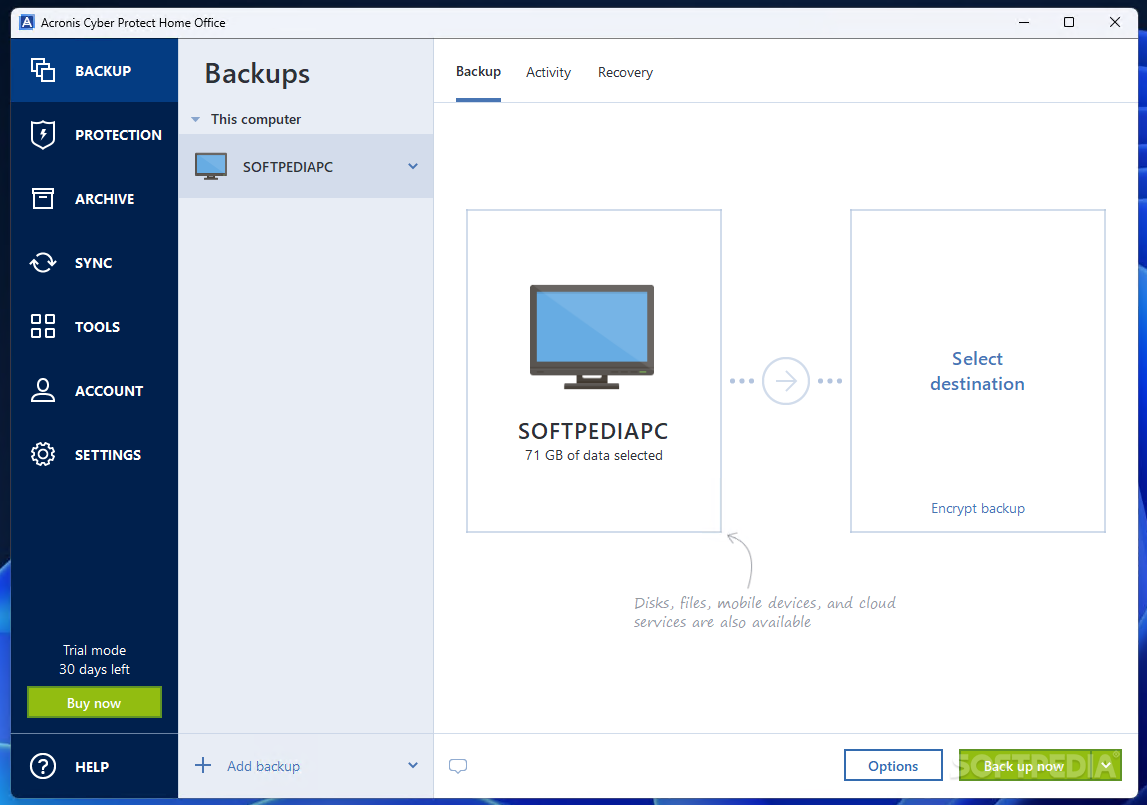
Software: Acronis True Image Home 2010


With Acronis True Image Home 2010, rest assured that all your important data including images, music, documents and applications are well protected and can easily be recovered in the event of any disaster.

Easy and Fast Backup and Recovery:
Acronis True Image Home 2010 provides home users reliable and timeless backup and recovery of their operating system, applications, settings and personal files.

Friendly, Windows®-style User Interface:
From an intuitive graphical interface, you can easily define where, locally or online, and how often to backup a PC based on your needs.

Acronis Online Backup™ to a secure location:
Optional Acronis online storage services are available to automatically backup valuable data or files over the internet to a secure location.

Continuous data protection:
In addition, Acronis Nonstop Backup™ provides continuous system and data protection, preventing data loss

Serial:
GBQQ8EXJ-DQBZWY84-C7PKVGXH-V745AMTC-JAA96T5F-E44AZP6V-Y2T8MXNG-NH5XWYDJ
H8B7N2WR-EWYZNP7N-XGP6A5N3-BLLWM2N7-QURDRAWK-HH35ECAR-29JC8GP5-BQ5XZFJE

Sponsor:
1- Acronis softwares

Download:
1- Acronis True Image Home 2010 (Mediafire)

Download Software: Acronis True Image Home 2010

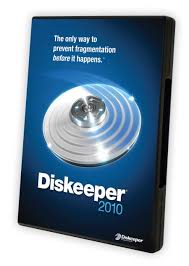
Software: Diskeeper 2010 Professional


Get the peak system performance you need to meet the demands of today’s busy computers.

Diskeeper® 2010 Professional edition performance software not only prevents the majority of fragmentation before it can happen, it includes advanced network management capabilities, critical system file protection and file optimization for lightning fast response times.

IntelliWrite:
IntelliWrite™ fragmentation prevention technology prevents up to 85% of the fragmentation every system suffers from. It intelligently writes contiguous files to the disk so system resources are not wasted creating fragmentation. The results? A whole new level of system speed and efficiency.

InvisiTasking
Diskeeper is the only defragmenter with InvisiTasking® technology, a real-time background processing technology that allows Diskeeper 2010 to defragment your system as fragmentation occurs, even during heavy traffic times — without using active system resources. InvisiTasking eliminates the need for scheduling and administrator attention.

i-Faast:
Diskeeper 2010 I-FAAST® 2.0 (Intelligent File Access Acceleration Sequencing Technology) accelerates file access times to meet the heavy workloads of file-intensive applications. Utilizing a specially formulated technology, I-FAAST closely monitors file usage and organizes the most commonly accessed files for the fastest possible access, up to 80% faster.

Save Energy Cost:
PCs with Diskeeper run more efficiently saving corporations thousands of dollars in energy costs each year. Diskeeper can save an estimated $3.22 per PC per year in energy costs. It makes bottom line dollars and cents to install Diskeeper on every PC on your network.

** Compatible with Windows® 7

Sponsor:
1- Diskeeper 2010 Professional, Pro Premier, Server, Enterprise Server

Download:
1- Diskeeper 2010 Professional (Depositfiles) (TurboIt) (Mediafire)


Download Software: Diskeeper 2010 Professional

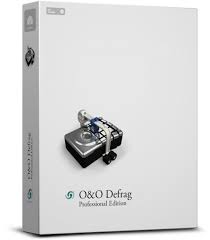
Software: O&O Defrag 12 Professional Edition


Fragmented hard disks put the brakes on your PC! Fragmentation can drastically slow down your computer. But the situation is not hopeless: O&O Defrag is the perfect remedy! Defragmentation rearranges the individual data fragments and writes them contiguously on the hard disk. This is really the only way for your computer to regain its original power and performance.

O&O Defrag 12, however, goes one step further. All your system's files will be sorted according to their level of use, and each one will be separated into its own section of the hard disk (drive zones). O&O Defrag 12 introduces 3 new defragmentation methods that can also apply a user-defined classification of files to perfectly complement all previous methods.
O&O Defrag 12 is everything superior defragmentation software should be: it gives you fully automatic defragmentation for the home user as well as expert-level professional setting options.

Features:
-fully compatible with Microsoft Windows 7,Vista, and XP
-zone filing for optimal organization of files
-three additional defragmentation methods (eight methods in all)
-Improved: even better at eliminating high levels of fragmentation
-Background monitoring: your system is constantly kept at its peak
-Screen Saver Mode: optimizes your PC whenever it’s not being used
-O&O OneClickDefrag for fully automatic configuration
-Job Assistant for scheduling defragmentation

Operating System: Windows™ 2000, XP, Vista, Windows 7
Languages: English, German, French

Sponsor:
1- O&O Defrag 12 and other defragmenter/utilities


Download:
1- O&O Defrag 12 Professional Edition (Mediafire)


Download Software: O&O Defrag 12 Professional Edition

Software: PerfectDisk 10 Professional Defragmenter


Run your workplace at maximum efficiency. PerfectDisk 10 Professional's innovative defragmenting features improve performance of desktops and laptops to increase productivity and maximize your hardware investments.

Features:
1- Patented SMARTPlacement™ – A Smarter Defragmenting Process
2- Complete Free Space Consolidation
3- AutoPilot Scheduling
4- Defrag During System Idle Times with Automatic StealthPatrol™
5- Single-pass Defrag
6- Selected Files Defrag
7- Space Management
8- Full-Scale Central Management Options

System Requirements:
OS: Windows 7, Vista, XP, 2000 Professional

Sponsor:
1- Perfectdisk

Download:
1- PerfectDisk 10 Professional Defragmenter (Build 100) (Mediafire link)

Download Software: PerfectDisk 10 Professional Defragmenter

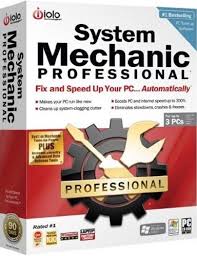
Software: Iolo System Mechanic 9.0.3.3 Professional

Make your PC run like new again

Windows gets slower from file fragments, registry errors, and sneaky new startup items. System Mechanic reverses this "aging" and can even make your PC run faster than when it was new, because many new PCs are not optimized for speed to begin with.

Features:
* Cleans, defrags, & repairs registry
* Accelerates PC startup 19 ways
* Defrags & recovers orphaned RAM
* Boosts internet speed
* Complete low-level drive defrag
* Turns off unused background programs
Perform dozens of performance boosting optimizations in one step.


System Requirements:
OS: Windows Vista, XP

Sponsor:
1- System Mechanic 9 and more

Download:
1- System Mechanic 9.0.3.3 Professional (Mediafire link)
Download Software: Iolo System Mechanic 9.0.3.3 Professional

Software: Registry Mechanic 8.0.0.9


Safely clean, repair and optimize your registry

With Registry Mechanic you can safely clean, repair and optimize the Windows® registry with a few simple mouse clicks! Problems with the Windows® registry are a common cause of Windows® crashes, slow performance and error messages. By using a registry cleaner regularly and fixing registry errors your system should not only be more stable but it will also help improve your system performance without expensive hardware upgrades. Learn more about the importance of a clean registry with our registry insight.

Registry Mechanic uses a high-performance detection algorithm to quickly identify missing and invalid references in your Windows® registry. These problems can occur for many reasons including being left-behind after the un-installation or incorrect removal of software, by missing or corrupt hardware drivers, or orphaned startup programs.

With a few easy steps our registry cleaner will scan your entire registry for any invalid entries and provides a list of the registry errors found, you can then choose to selectively clean each item or automatically repair them all. For your convenience and protection Registry Mechanic can also make a backup of any repairs made so that you can easily recover any changes if required.


System Requirements:
OS: Windows Vista, XP, 2000

Download:
1- Registry Mechanic 8.0.0.9 (Mediafire link) 6.4 MB
Download Software: Registry Mechanic 8.0.0.9

Software: Alcohol 120% 1.9.8 (Build 7612)


Iso Image Editor, Creator

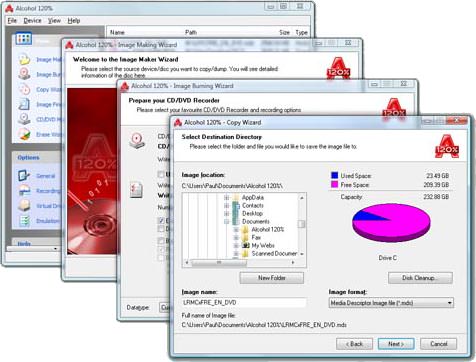
Alcohol 120% can handle the creation of 31 virtual CD and DVD-ROMs, letting users play discs without needing the physical disc. Users can copy CDs and DVDs to CD-R, CD-RW, DVD-R, DVD+R, DVD-RW, DVD-RAM, and DVD+RW discs. The reading speed of a virtual CD-ROM is 200x. It supports normal CD, DVD, and CD RAW subchannel reading methods. The RAW reading method lets users emulate all CDs. Alcohol 120% supports numerous CD (CD-DA, CD+G, CD-ROM, CD-XA, VideoCD, Photo CD) and DVD (DVD-ROM, DVD-Video, DVD-Audio) formats. It also supports all current (ATAPI & SCSI) drives. The latest version adds two more profiles to the data type options and includes support for unusually formatted DVD+RW discs formatted by other software.


System Requirements:
OS: Windows Vista, XP

Note:
After Installation, go to language and set it to English (USA)

Downloads:
1- Alcohol 120% 1.9.8 (Build 7612) (Mediafire link) 11.49 MB
Download Software: Alcohol 120% 1.9.8 (Build 7612)

Software: Advance System Optimizer 2.20


Rated #1 for system utilities software

Advanced System Optimizer is the easiest and most comprehensive way to keep your PC running smooth and error free. The constant use of Windows, installing and removing new programmes, makes the working of windows slower. In many cases, performances of Windows goes down. Keeping this in mind, Advance System Optimizer 2.2 is a utility, that saves your system resources and optimizes the performance of your windows.

It cleans your hard disk files making your PC run better and faster without crashes. Registry cleaner to clear invalid registry entries. Registry defragger to fine tune your Windows System Registry. Privacy protector to clean internet history, cookies, cache, and any hidden tracks kept by Windows. System files backup and restore with single click.

System Requirements/ Note:
OS: Windows Vista (32-bit only), XP (32-bit only), 2003, 2000, NT4, Me, 98
Registration: (2-) Already registered under ASO retail version, so you don't need to register anymore.

Download:
Download Software: Advance System Optimizer 2.20

TuneUp Utilities 2009


Repairs, accelerates, cleans up! Complete optimization software for Windows Vista, XP, 2000.

Yours to choose:
Download TuneUp Utilities 2009