Showing posts with label dvd burner. Show all posts

Software: Nero 9 Reloaded


Nero 9 is the next generation of the world’s most trusted integrated digital media and home entertainment software suite. It features new cutting-edge functionality that makes enjoying digital media content simple.

This easy-to-use yet powerful multimedia suite, gives you the freedom to create, rip, copy, burn, edit, share, and upload online. Whatever you want – music, video, photo, and data – enjoy and share with family and friends anytime, anywhere.

With easy-to-use Nero StartSmart command center, your digital life has never been more flexible, feasible, and fun.

Features:
Fast and easy rip, burn, Autobackup, and copy functions
Backup files to CDs, DVDs, and Blu-ray Discs*
Create professional-looking DVD movies with integrated 3D menus
Copy, burn, share, upload, and create music mixes like a DJ
Convert music, photos, and DVDs to play on your iPod® and other mobile devices
Quick photo and video upload to My Nero and other online communities.**
Play AVCHD and other HD formats
Archive HD movies in highest quality AVCHD format to HDD including: USB stick and flash memory card, SD Card and Sony Memory Stick®. even without the use of an optical recorder NEW!

Requirements:
Windows® XP SP2 or SP3, Windows Vista®, Windows Vista® with SP1 or SP2, Windows® 7, Windows® XP Media Center Edition 2005 SP2
Windows® XP and Windows Vista® 64 bit versions are supported in 32 bit emulation mode.
Nero DiscCopy Gadget only works in 32 bit emulation mode in the Sidebar under Windows Vista® 64 bit, or in the Desktop Gadget under Windows® 7 64 bit.

Sponsor:
1- Nero 9 reloaded and Nero back it up

Download:
1- Nero 9 Reloaded (Mediafire)
Download Software: Nero 9 Reloaded

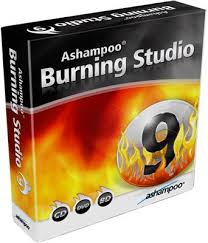
software: Ashampoo Burning Studio 9.03

Burn, Edit, Play CD, DVD, Blu-Ray

Ashampoo Burning Studio 9 is a major update that improves almost every aspect of the program, adding many new features and capabilities in every part of the program. It also introduces a new Movie Editor for editing and combining your videos before burning them to DVD. The Movie Editor has functions for cutting, transitions, fades, subtitles, titles and more, plus a point-and-click DVD menu editor with animated themes for creating great-looking interfaces for your DVD movies.

Features:
* Edit videos with timeline and preview
* Super-easy drag-and-drop editing for videos, subtitles etc.
* Graphical timeline for clips, transitions, titles, subtitles and images
* Burn finished movies to DVD with animated menus
* Ready-to-use themes for DVD menus
* Cut clips into separate blocks, trim and extract sections
* Assemble multiple clips in a few easy steps
* Add titles, subtitles, shaped text etc.
* Add images, logos and graphical shapes with fill, borders etc.
* Cross-fades and graphical transitions between clips
* Fade-in and fade-out for all objects (images, texts etc.)
* Live preview your movies in the editor with transitions
* Add background music to movies
* Rotate images directly in the Movie Editor
* Set start and end times for clips (play only part of clip)
* Automatic search for scene boundaries


System Requirements:
OS: Windows Vista, XP
RAM: 512 MB
CPU: 1200 MHz (3000 MHz for burning)

Download:
1- Buy/Try (Ashampoo.com)
2- Ashampoo Burning Studio 9.03 (Mediafire link) 57.73 MB
Download software: Ashampoo Burning Studio 9.03

Software: DVD Santa 4.50

DVD burner that could possibly impress you

Creating your own DVD movies doesn't have to cost you hundreds, or thousands. You don't have to be an expert or a geek to start, dvdSanta has a topnotch, easy-to-use user interface that requires no technical knowledge from you whatsoever. It's child's play.

Features:
* Easy to use interface: Intuitive user interface that requires no technical knowledge whatsoever.
* Converts and burns video files directly into DVD movies so that you can watch them on TV.
* Can mix multiple video files into one DVD disc.
* Converts photo files into DVD movies, with 35 transition effects, pan and zoom motions, background musics and narrations.
* Can automatically sync the background music with photo slide shows.
* Real-time captures and transforms miniDV camcorder tapes directly to DVD video format
* Can fit 9GB double layer DVD movies into 4.7GB single layer DVD disc.
* Burns DVD ISO Image or DVD VIDEO_TS folders to DVD
* Auto-Rate-Controller technology maximizes disc space by squeezing the highest quality video onto a disc.
* Supports major video formats such as AVI, WMV, ASF, MPG, VOB...
* Supports major subtitle formats such as SRT, SUB...
* Supports major photo formats such as JPG, PNG, BMP...
* Supports major audio formats such as WAV, MP3, WMA...
* Supports DVD+R/RW, DVD-R/RW format discs and burners.
* Supports 4:3 and 16:9 video aspect ratio
* Supports both NTSC and PAL video standard
* Supports Interlaced and Progressive Sources
* Supports output to hard drive
* Intergrated High Speed DVD MPEG-2 Encoder

Here is an old outdated youtube video featuring on how to burn your downloaded videos using the previous version of DVD Santa. Looks dull? Don't worry DVD Santa 4.50 is much better.


Download:
1- Buy/ free version (Ziddu link) 2.3 MB
Download Software: DVD Santa 4.50

Software: Dvd Cloner 6.30 build 981


Burn your Dvd fast and easy

DVD-Cloner is the latest version of the world’s most reliable DVD/Blu-ray copying software. It features new cutting-edge functionality that makes DVD/Blu-ray copying simple.

This easy-to-use yet powerful burning software, gives you the freedom to make perfect 1:1 DVD copy, movie only copy and customized copy, whatever you want. The SmartAnalyser™ technology is integrated to ensure the highest level of success copying latest DVD/Blu-ray movies.

System Requirements/ Note:
OS: Windows Vista, XP, 2000
RAM: 64 MB
Hardware: Dvd/ Blu-Ray disc burner (NTFS)


Download:
Download Software: Dvd Cloner 6.30 build 981

DVDFab Platinum 5.0.2.0


DVDFab Platinum is the most powerful and flexible DVD copying/burning software.

With 8 copy modes, you can back up any DVD to DVDR in just a few clicks. DVDFab Platinum is brand new, is completely rewritten, is based on more than 6 years of DVD copy software development. With 10 "DVD to Mobile" copy modes of DVDFab Mobile Option, you can convert DVD title to mobile devices like iPod, PSP, ZUNE, cell phone, etc.

Note:
OS: Windows Vista, XP, 2000, 98, Me
Processor: Pentium II 500 MHz
RAM: 256 MB
Disk Space: GB
Hardware: DVD-R(W) or DVD+R(W) Drive

Choose your DVDFab Platiunum 5.0.2.0
Download DVDFab Platinum 5.0.2.0