Showing posts with label Blogger template. Show all posts

Blogger Template: Scrapbook


Feature:
* Cool Handycon icons (email, twitter, rss)
* Screen Wide view (looks like a magazine/pro)
* Artsy 5 Selected Post (thumbnail)
* Hidden (Hide/Unhide) Sidebar
* Built-in 'Go to top' ad 'Go to Footer' button

Sponsor:
1- Tons of other blog templates

Demo: Click Here Download: Here

Installation/How to use: Click Here

Download Blogger Template: Scrapbook

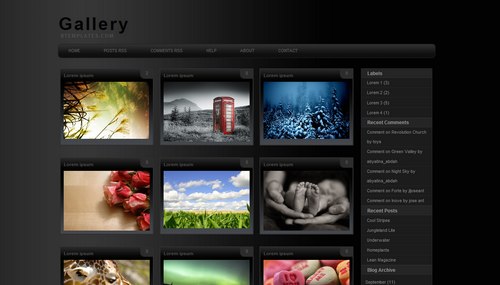
Blogger Template: Gallery


Highly customized photoblog, it display your nine photos in a page, and that goes for everything, including your recent post, labels, post search results, and more. It does include the built in labels, recent post, archieve, and 3-column footer. All automatic, you don't need to follow any standard code when posting. It display (on the index page) the thumbnail and comment count only no matter how long you post text goes on.

Sponsor:
1- Photography templates, blogs, camera and more

Demo: Click here Download: Click here

Download Blogger Template: Gallery

Blogger Template: Photoplus +


This template is for photography only, so if you need to show texts or anything else, It will not work. It serve only for thumbnail pictures which then clickable to see the original size/bigger pictures. No tittle will be shown, as the "alt" code for pictures will be used both for thumbnail description and seo@ search.

Features:
1- Photography
2- jQuery Special Feature
3- Web 2.0
4- Easy to customize
5- 3 Column Footer

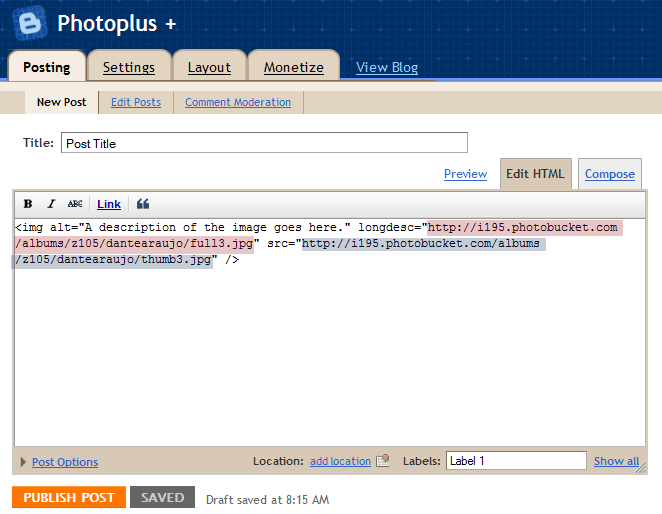
How to post on photoplus?


Use this basic code for each time of posting:
<img alt="A description of the image goes here." longdesc="LINK_TO_THE_FULLSIZE_IMAGE" src="LINK_TO_THE_THUMBNAIL" />


Demo: Click here | Download: Click here

Download Blogger Template: Photoplus +

Blogger Template: Bmagazine


Bmagazine: The most feature rich blogger template

Contain almost everyting (readily pre-installed) you need for your blog including multi level drop down menu, subnavbar, 3 column, go to top and go to down botton, day and date widget, social bookmarks icon, automatic read more feature for blog post and else you want it to be. Highly customisable (and maybe little bit complicated).

Installation/ Note:
Download> Log in to your blogger account> Go to layout > Edit HTML> Click on "Download Full Template" and save it to your computer/laptop (Backup)> Browse> Upload> Preview> Save.

Download:
1 - Download Bmagazine (External links) 64.78 KB
Download Blogger Template: Bmagazine